Contact options
The Contact options tab holds numerical settings for the contact search. They do not describe the physics of the interface; they control how the calculation decides which surfaces are in contact and when to be cautious.
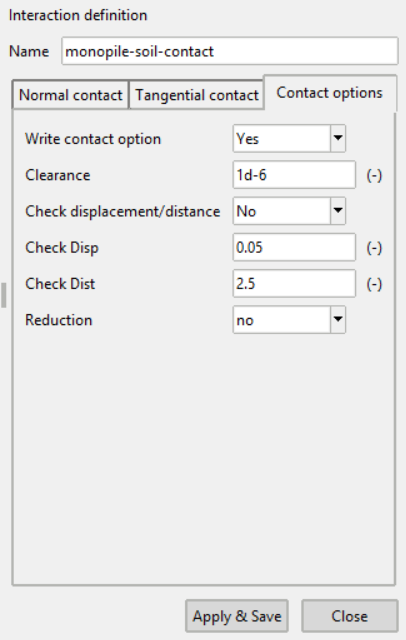
| Field | Choices | Meaning |
|---|---|---|
| Write contact option | Yes, No |
Whether these options are used at all |
| Clearance | The gap within which surfaces are treated as in contact | |
| Check displacement/distance | Yes, No |
Enable the two checks below |
| Check Disp | Displacement limit for the check | |
| Check Dist | Distance limit for the check | |
| Reduction | yes, no |
Reduce the contact contribution |
Setting Write contact option to No leaves the remaining fields unused, so
an interaction that needs no special handling can ignore this tab entirely.
Validation
A clearance is required when contact options are written, and both Check Disp and Check Dist are required when the displacement/distance check is activated. Pressing Apply & Save with one missing shows a warning naming the problem.
See Contact options in the numgeo reference manual.