Stabilization parameters
The Stabilization parameters tab holds five numerical aids that can be switched on when a calculation is having trouble converging or is producing unphysical results. They are independent of one another, each with its own checkbox, and all are off by default.
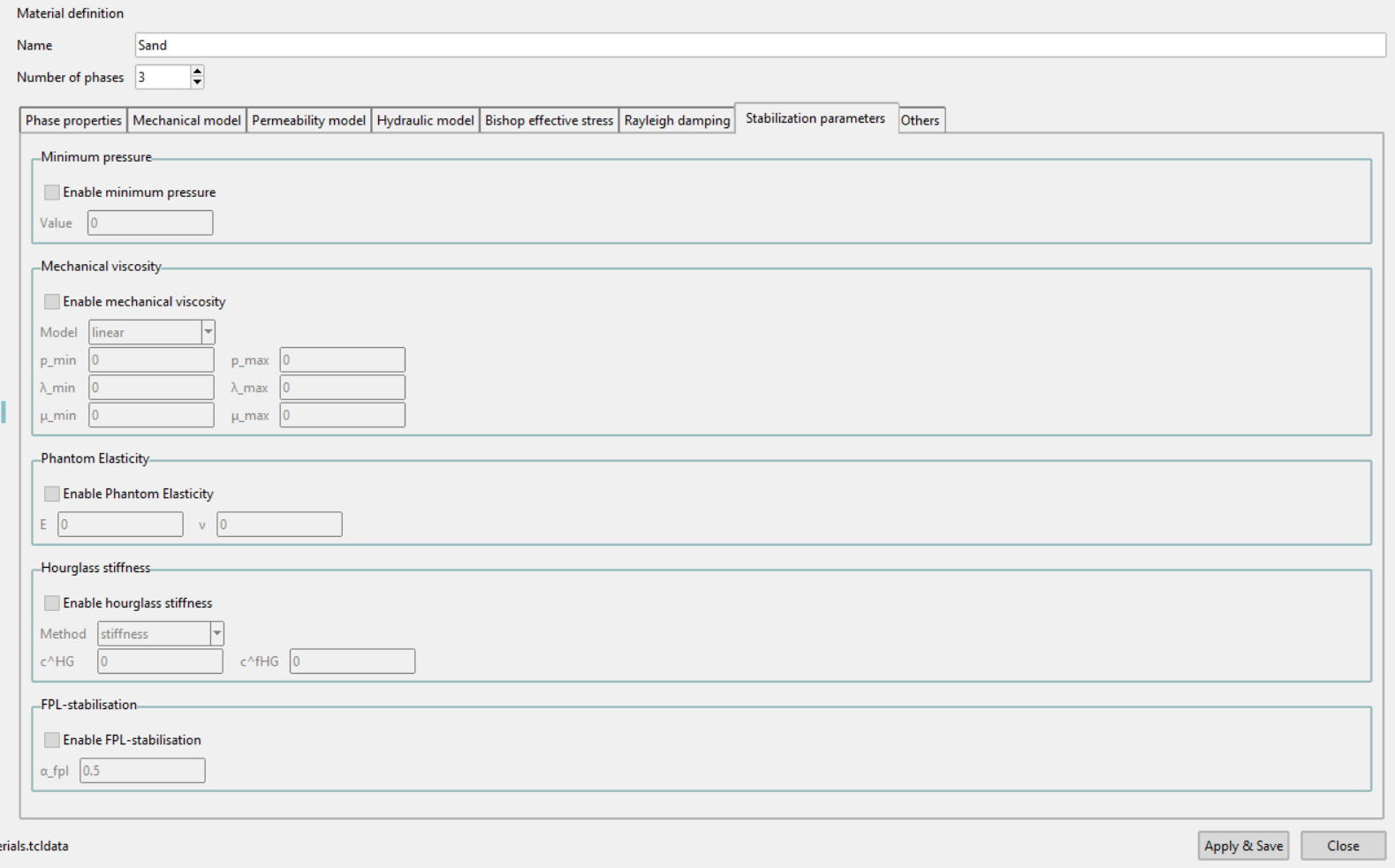
These are numerical measures rather than material behaviour. Enable one when there is a reason to, not as a matter of routine, and be aware that each one changes the result to some degree.
Minimum pressure
Puts a lower bound on the pressure, which keeps a soil that would otherwise go into tension from doing so.
| Field | Meaning |
|---|---|
| Value | The lower bound |
See Minimum pressure.
Mechanical viscosity
Adds rate dependence as a regularisation, which can steady a calculation that is localising or oscillating.
| Field | Meaning |
|---|---|
| Model | Currently linear |
| p_min, p_max | The two pressure breakpoints |
| λ_min, λ_max | Values at the lower and upper breakpoint |
| μ_min, μ_max | Values at the lower and upper breakpoint |
See Mechanical viscosity.
Phantom Elasticity
Adds a small elastic stiffness everywhere, which keeps the system solvable where the constitutive model alone would leave it without stiffness.
| Field | Meaning |
|---|---|
| E | Young's modulus of the added stiffness |
| ν | Poisson's ratio of the added stiffness |
See Phantom elasticity.
Hourglass stiffness
Reduced-integration elements can deform in patterns that cost no energy and so are not resisted. This suppresses them.
| Field | Meaning |
|---|---|
| Method | stiffness or scaling |
| c^HG | Hourglass control factor |
| c^fHG | Fluid hourglass control factor, used by the scaling method only |
c^fHG is greyed out while the method is stiffness.
This applies to elements set to reduced integration in the Assign element type branch of the data tree; it has no effect on fully integrated elements.
See Hourglass stiffness.
FPL-stabilisation
Fluid-pressure-Laplacian stabilisation, for the pore-pressure oscillations that appear in coupled analyses when the element formulation is not otherwise stabilised.
| Field | Meaning |
|---|---|
| α_fpl | Stabilisation factor |
See FPL stabilisation.
Validation
Each feature is checked only when its checkbox is ticked. An enabled feature with an empty field shows a warning naming it when Apply & Save is pressed, and the material stays open so it can be corrected. Switching the feature back off clears the requirement.