Mechanical model
The Mechanical model tab holds the constitutive model of the solid skeleton — how the soil or rock responds to stress and strain. It is the only tab that must be filled for every material, whatever its number of phases.
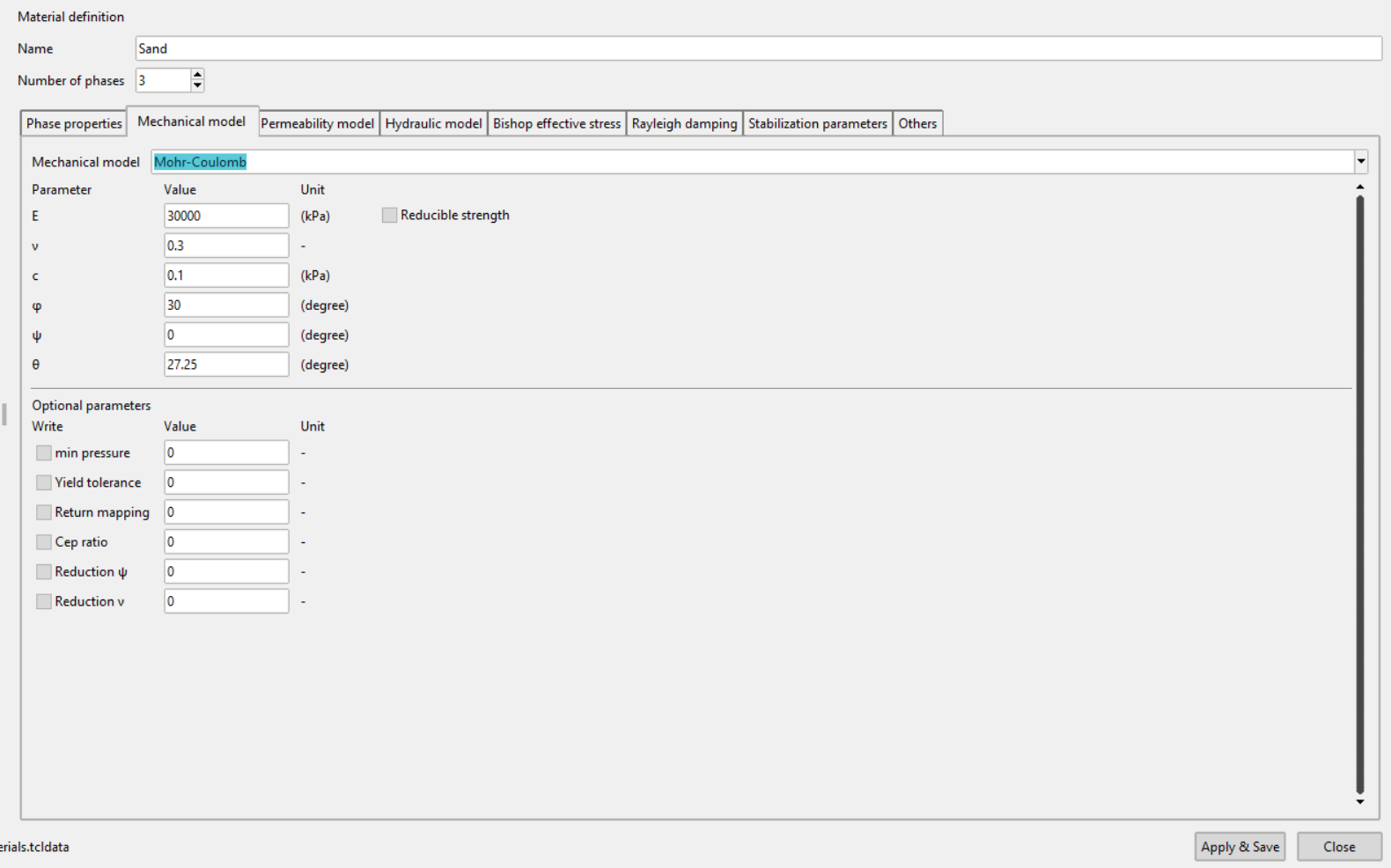
Choosing a model from the list rebuilds the parameter table below it. The number of parameters, their names and their units all change with the model, so pick the model before entering any values.
Available models
| Model | Reference |
|---|---|
| Linear Elasticity | Linear Elasticity |
| Mohr-Coulomb | Mohr-Coulomb |
| Mohr-Coulomb-2 | Mohr-Coulomb |
| Mohr-Coulomb-3 | Mohr-Coulomb |
| Modified-Cam-Clay | Modified-Cam-Clay |
| Matsuoka-Nakai | Matsuoka Nakai |
| Hardening-Soil | Hardening soil (MN) |
| Hardening-Soil-Bricks | Hardening soil (MN) Bricks |
| Hypoplasticity | Hypoplasticity |
| Hypoplastic+IGS-2 | Hypoplasticity + IGS |
| Hypoplasticity+ISA | Hypoplasticity + ISA |
| Hypoplasticity+ISA-SF | Hypoplasticity + ISA-SF |
| Hypoplastic+GIS | Hypoplasticity + GIS |
| Sanisand | Sanisand |
| AVISA | AVISA |
| HCA Linear Elasticity | HCA-Sand |
| HCA Hypoplasticity | HCA-Sand |
| HCA Hypoplasticity+ISA | HCA-Sand |
| HCA Sanisand | HCA-Sand |
| Barotropic elasticity | Barotropic Elasticity |
| Bathytropic Elasticity | Bathytropic Elasticity |
| AVHP | AVHP |
| Neo Hooke-2 | |
| User-defined | User material |
The parameters of each model, their meaning and their units are given on the reference page linked above.
User-defined mechanical block
Below the parameter table is a text area for a mechanical definition written by hand. Use it for a model that is not in the list, or when a model needs options the parameter table does not offer. Its contents are used as written, so it must be valid numgeo syntax.
The model list itself can also be typed into. A name that is not in the list is carried through unchanged, which keeps older materials readable.
Validation
A mechanical model must be selected, and every parameter of the chosen model must be filled with a number. Pressing Apply & Save with something missing shows a warning naming the problem, and the material stays open so it can be corrected.