Rayleigh damping
The Rayleigh damping tab adds viscous damping to the material for dynamic analyses. It is disabled by default; tick Enable Rayleigh damping to switch it on.
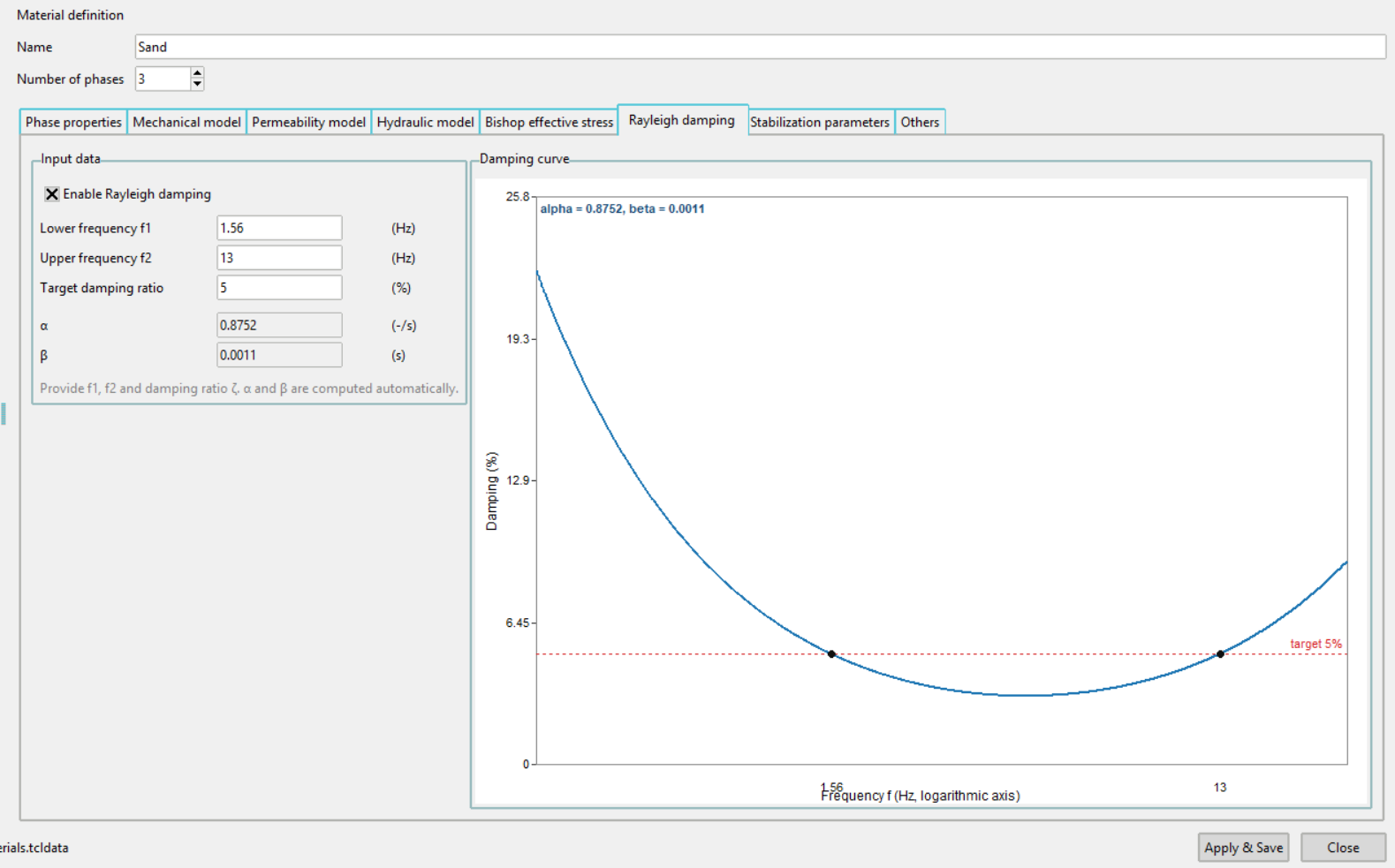
Input data
Rayleigh damping builds the damping matrix from the mass and stiffness matrices:
which makes the damping ratio depend on frequency:
Rather than asking for α and β directly, the tab asks for the frequency band that matters in the analysis and the damping wanted across it:
| Field | Meaning |
|---|---|
| Lower frequency f1 | Lower end of the frequency band, in Hz |
| Upper frequency f2 | Upper end of the frequency band, in Hz |
| Target damping ratio | The damping ratio ζ wanted across the band, in % |
α and β are then calibrated so that the target is met exactly at f1 and f2:
Both are shown in the two fields below the inputs and recomputed as the inputs change. They are a readout, not an input, and cannot be typed into.
Damping curve
The plot on the right shows the resulting damping ratio against frequency, on a logarithmic frequency axis. It carries three things worth reading:
- The curve — the actual damping ratio the material will have at each frequency.
- The target line — the requested ratio, drawn as a horizontal dashed line.
- The two calibration points at f1 and f2, where the curve meets the target.
The shape is the point of the plot. Between f1 and f2 the damping dips slightly below the target; outside the band it rises steeply, so frequencies beyond the chosen range are damped far more heavily than intended. Widening the band flattens the dip but raises the damping applied at both extremes.
Choose f1 and f2 to bracket the frequencies that actually matter in the analysis, and use the curve to confirm that they do.
Validation
When Rayleigh damping is enabled, f1 and f2 must both be positive, f2 must be greater than f1, and the damping ratio must not be negative. Pressing Apply & Save with a value out of range shows a warning naming the problem, and the material stays open so it can be corrected.
Damping is described under Damping in the numgeo reference manual.